AI-Powered
Real Estate Photo Enhancement
Turn good listing photos into great ones — clear, vibrant, professional-quality images that captivate buyers and drive inquiries. Enhance your property photos in minutes.
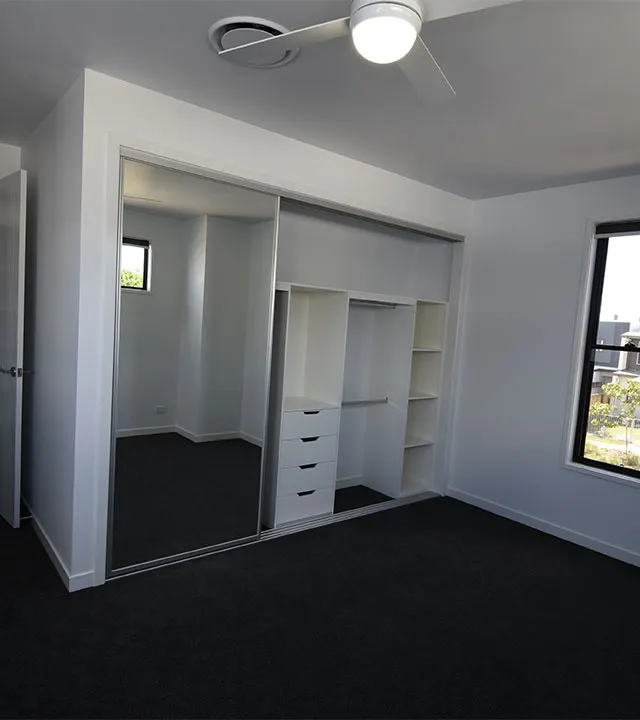
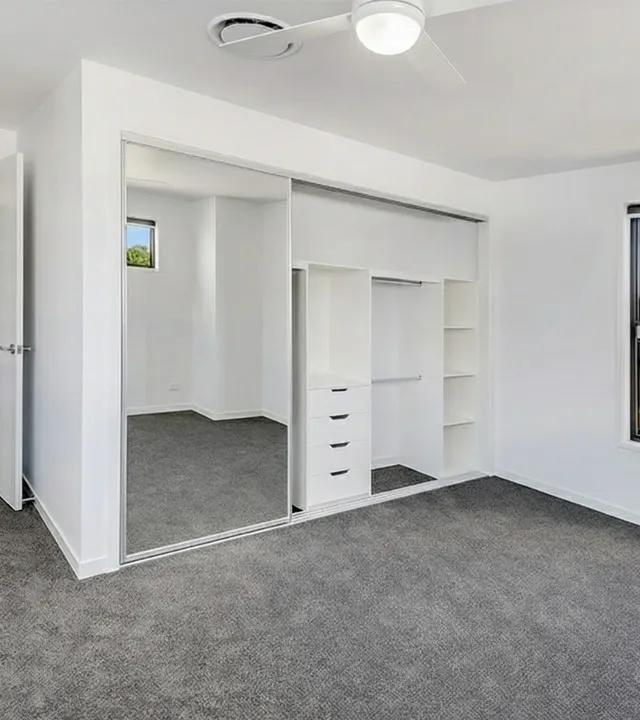
Why Your Listing Photos Might Be Holding You Back
Weak listing images reduce clicks and leads. Professional-grade enhancement fixes clarity, color, and perspective issues quickly.
Dull or Unbalanced Images
Photos lacking clarity, proper lighting or color balance fail to capture attention — leading to fewer clicks and leads.
Technical Flaws Lower Perceived Value
Crooked horizons, lens distortion, muddy colors and poor clarity make a property feel less premium.
First Impressions Matter
Buyers spend most of their time reviewing photos. Strong visuals turn browsing into showings and offers.
Try Photo Enhancement in Seconds
Upload a listing photo and see an enhanced, MLS-ready version.
Enhancement options
Color & exposure · Geometric & lens · level: moderate
Our Smart Photo Enhancement Process
Advanced editing with minimal effort — we bring out the best in every shot.
AI Photo Enhancement
Upload your listing photos and let our expert system handle color, clarity, perspective and finish — tailored for real estate.
Batch Enhancement for Teams
Fast, consistent edits at scale for photographers, teams and agencies.
How It Works
Enhance photos in four simple steps.
Photo Enhancement Flow
Upload Your Images
Drag & drop your listing photos.
Select Enhancement Options
Choose your desired finish and options.
We Edit
AI applies our refined enhancement pipeline to each image.
Download & Publish
Receive enhanced images and publish to listings or marketing.
Optional: Review & Export
Compare Variations
Check multiple versions and pick the best.
Share with Clients
Send links or downloads for quick approval.
Batch Export
Export high-res assets sized for MLS and social.
Scale Easily
Enhance more listings with consistent presets.
Ideal For Every Listing Type
From single-family homes to luxury estates and aerials
Residential Homes & Apartments
Make interiors warm and inviting with balanced light and color.
Luxury & High-End Properties
Ensure imagery matches premium value with crisp, flawless finish.
Exteriors & Aerial Photography
Improve curb appeal and highlight property assets.
Photographers & Agencies
Consistent, fast enhancement for client workflows at scale.
Why Choose Our Photo Enhancement Service
Built for real estate professionals who need results fast
Rapid Turnaround
Images delivered quickly so listings go live faster.
Professional Quality
Every photo polished to a high-end finish, ready for publication.
Design-Aware Editing
We correct color casts, distortion, poor lighting and more.
Listing-Focused Results
Enhanced images engage more viewers and drive inquiries.
Scalable Workflow
From one photo to hundreds, we scale to your volume.
Client-Friendly Output
Download, share or embed easily; built for real-estate use.
Why Edensign Outperforms Other Staging Options
When it comes to speed, customization, and quality, Edensign sets a new standard for virtual staging. Compared to traditional methods and other AI tools, Edensign’s proprietary technology delivers unparalleled control, design intelligence, and turnaround time—giving real estate professionals a serious edge.
- Price:Less than $1/photo
- Turnaround Time:15 seconds
- Staging Precision:Trained AI models by room type
- Multiview Generation:Yes (auto & consistent)
- Prompt-Based Editing:Yes (custom objects via prompts)
- Furniture Style Customization:Dozens of editable AI themes
- Decluttering Tool:Built-in AI declutter
- Effort & Setup Required:Upload and done
- Revisions:Unlimited
- Money-Back Guarantee:Yes
- Batch Discounts & Team Plans:Yes
Frequently Asked Questions
Everything you need to know about photo enhancement
Testimonials
Top Real Estate Agents and Photographers Share Their Success with Edensign
Edensign's AI staging transformed my empty listings instantly! The Scandinavian style option perfectly matches our Pacific Northwest market. I've seen 40% more showings since using it. Clients can finally envision themselves living there!
Game-changer for pre-sales. We stage condos in modern and industrial styles before construction finishes. Buyers love seeing furnished spaces across bedroom, kitchen, and living areas. Cuts our staging costs by thousands per unit!
My tenants aren't interior designers! Edensign's decluttering feature lets me show potential renters what our occupied units could look like clean and styled. Vacancy periods dropped by two weeks. Absolute lifesaver for turnovers!
Occupied apartments always look lived-in and messy. This tool cleans everything up digitally and restyles it beautifully. Prospects can see the apartment's true potential. My lease conversions improved 35% this quarter!
The multiview feature is pure sophistication. Instead of one boring shot, I showcase penthouses from multiple angles with consistent AI staging. Clients feel like they've toured the property virtually. It's incredibly impressive!
Multiview angles make my listings stand out on every platform. Buyers see the full spatial flow before visiting. The professional presentation quality rivals million-dollar photoshoots but takes minutes. Absolutely worth every penny!
Managing 200+ units meant thousands of photos monthly. Edensign's bulk processing and categorization changed everything. I upload entire buildings at once, organize by unit type, and declutter systematically. Saved 20 hours weekly!
My business scaled 3x after discovering bulk staging. I process hundreds of listings daily, auto-categorize by room type, and deliver consistent quality. What took days now takes hours. My clients are thrilled!
Writing compelling descriptions exhausted me. Edensign's AI analyzes my staged photos and generates engaging copy instantly. The scripts are witty, professional, and actually convert browsers into buyers. My secret weapon for listings!
Creative writing isn't my strength, but this AI makes me look brilliant. It crafts catchy, personalized descriptions from property details and images. Social media engagement tripled. My clients think I hired a copywriter!
The furniture editing tools are ridiculously precise. I swap sofas, change wall colors, remove clutter—all digitally. Clients approve designs before physical staging, saving costly mistakes. It's like Photoshop specifically for real estate!
My clients struggle visualizing renovations. Edensign lets me remove old furniture, change finishes, and show custom options instantly. They make confident decisions faster, and my project approvals doubled. Incredible visualization power!
Get Started Today
Don’t let sub-par images drag down your listing’s performance. Enhance your photos, elevate your property’s appeal, and see the difference high-quality visuals make.
No credit card required • 2 free credits • Cancel anytime